

Key takeaways:
- To create a new listing, most products need a valid GTIN such as a UPC from GS1 US. GTIN exemptions are available for some products, such as private label, generic, or handmade items, and you don't need a new UPC to join an existing listing.
- FNSKUs link FBA inventory to a specific seller. Since March 31, 2026, resellers must use FNSKU labels, while Brand Representatives can use manufacturer barcodes.
- Amazon requires strict compliance with labeling (e.g., FNSKUs, product condition, "Sold as set") and shipping guidelines to avoid delays, fines, or rejected shipments.
- Errors such as mixing up ASINs and FNSKUs, using incorrect UPCs, missing warning labels, or placing multiple scannable barcodes on one product can disrupt sales and inventory flow.
Are you a new Amazon seller trying to navigate the world of Amazon barcodes?
You will admit that Amazon barcodes like UPCs, GTIN, FNSKU, and more can seem confusing, especially if you're just starting out.
As an Amazon seller, it is important to familiarize yourself with these barcodes to ensure your products meet the required standards and are ready for shipping.
This ePlaybooks guide looks at all the types of Amazon codes you need to know and how to use them. We will also look at how you can buy UPCs and highlight some Amazon labeling and shipping requirements to take note of.
Types of Amazon Barcodes

Let's look at the different types of Amazon barcodes you will need to know while selling on the Amazon marketplace:
- GTIN (Global Trade Item Number)
- UPC (Universal Product Code)
- EAN (European Article Number)
- FNSKU (Fulfillment Network Stock Keeping Unit)
- ASIN (Amazon Standard Identification Number)
Amazon barcodes: GTIN (Global Trade Item Number)
GTIN, or Global Trade Item Number, is an umbrella term that encompasses several barcode formats, including UPC and EAN, among others. Developed by the international organization GS1, it is a standardized system for identifying trade items across global supply chains. GTINs are designed to facilitate efficient lookup of product information in databases, typically through barcode scanners. Each unique product you sell on Amazon should have its own unique GTIN.
GTINs come in four main types:
GTIN-12
GTIN-12 is primarily used in North America. It is a 12-digit number intended for scanning at the point of sale and is synonymous with UPC.
GTIN-8
It is mainly used outside of North America. It is an 8-digit number that is suitable for point-of-sale scanning of small items.
GTIN-13
This is a 13-digit number predominantly used outside of North America, intended for scanning at the point of sale. It is synonymous with EAN and is the only type of GTIN that you can encode in the EAN-13 barcode.
GTIN-14
This GTIN barcode is always 14 digits in length, and is used to identify trade item groupings, such as cases of products or inner packs. It is not used for point-of-sale.
Amazon barcodes: UPC (Universal Product Code)
The Universal Product Code (UPC) is one of the most widely recognized barcode systems globally. It consists of a series of numbers that uniquely identify products sold in stores. Each UPC has a unique 12-digit number, divided into five segments:
- The first digit indicates the type of item.
- The next five digits represent the manufacturer identification number.
- The following five digits are the product identification number.
- The last digit is a checksum for error checking.
When you license a UPC, you get a number you can turn into a scannable barcode. On Amazon, UPCs (along with EANs, ISBNs, and other GTINs) are used as product identifiers when you create a new listing. Amazon uses them to match your product to the right catalog entry, prevent duplicate listings, and index your product in search. Most physical products need one to create a new listing, unless you qualify for a GTIN exemption. If you are joining an existing listing, you match your offer to that ASIN and don't need a new UPC.
Also, UPCs serve as a unique identifier for products, making it easier to differentiate among the thousands of products sold on Amazon all over the world.
Where can you buy UPCs for Amazon?
To purchase UPCs for Amazon, you must follow Amazon's requirements. Amazon checks product UPCs against the GS1 database, so the safest source for US sellers is GS1 US, the nonprofit standards body that manages barcodes in the United States. When you license codes from GS1 US, they are registered to your brand in GS1's database.
GS1 US offers two main options. A GS1 Company Prefix is registered to your company and lets you create many GTINs, so it suits brands with several products. If you only need a few codes, GS1 US also licenses single GTINs. Licensing your codes under your own brand also makes it easier to enroll in Amazon Brand Registry.
Avoid buying UPCs from third-party resellers or bulk UPC sites. Codes that don't trace back to your brand in GS1's database can lead to rejected listings or suppressed ASINs, especially when you create new listings.
GTIN exemption for Amazon
You can list some products without a UPC, EAN, or other GTIN if Amazon grants a GTIN exemption. Exemptions are available for products such as private label brands, generic or unbranded products, handmade items, and some parts and accessories.
To apply, search for "GTIN exemption" in Seller Central help. You will choose the category and brand, and provide product details and images. Images should show the brand name on the product and packaging, or, for generic products, show that there is no brand name. Exemptions are specific to a brand and category, so approval in one category doesn't automatically cover another.
Amazon barcodes: EAN (European Article Number)
European Article Number (EAN) is a 13-digit number similar to the UPC but is used internationally, especially outside North America. Like UPCs, EANs are divided into segments: the first digits are a GS1 prefix that shows which GS1 member organization issued the number (not where the product was made), followed by the company and product numbers and a check digit. EANs are commonly used in Europe and many other regions around the world.
We recommend that you only get an EAN through the official GS1 member organization in your country.
Amazon barcodes: FNSKU (Fulfillment Network Stock Keeping Unit)
The Fulfillment Network Stock Keeping Unit (FNSKU) is an Amazon-specific identifier that works as its own "UPC barcode". This barcode is used within Amazon's fulfillment centers to track inventory and link a product to a specific seller.
If you're using Amazon's fulfillment services, each variation of your product (e.g., size, color) receives its own FNSKU. This ensures that each product can be individually identified, allowing Amazon to manage inventory and fulfill orders accurately.
With FNSKUs, you can simplify your inventory management and get insight into your stock levels, sales, and returns.
Amazon changed its barcode rules on March 31, 2026. Brand Representatives can use manufacturer barcodes (such as UPCs) to track their FBA inventory, while resellers must use FNSKU labels, and Amazon says commingling of inventory between sellers is ending. Also note that Amazon ended its US FBA prep and item labeling services on January 1, 2026, so you need to label your units yourself (or through a prep partner) before you send them in. For a deeper dive, read our guide to Amazon FNSKU.
How to get an FNSKU for your Amazon product
Here's how you can get an FNSKU for your product on Amazon:
- Head over to your Amazon seller account and click on "Manage Inventory" in the "Inventory" section.
- Next, find the product you want to get an FNSKU for and click on "Edit" in the drop-down menu.
- Next, select "Print Item Labels" and choose how many labels you want to print. Then, click on Print Item Labels.
- Once done, you will see a downloaded PDF with the FNSKU codes. You want to print these barcodes using black ink and non-reflective printing paper.
- Once done, apply the printed barcodes to your products, and they are ready to be sent to Amazon fulfillment centers.
We will look at labeling and shipping requirements later in this article.
Amazon barcodes: ASIN (Amazon Standard Identification Number)
The Amazon Standard Identification Number (ASIN) is a ten-character alphanumeric code assigned by Amazon to uniquely identify products listed on its platform. Just like FNSKUs, ASINs are specific to Amazon. Although ASINs are specific to Amazon, they are recognized internationally, which means that products sold on Amazon can be easily found and purchased by customers in different countries.
Each product variation, such as a different size or color, has its own ASIN (a child ASIN). Variations are grouped under a parent ASIN so shoppers can choose between them on one product page. Every seller offering the exact same product shares the same ASIN.
You will find a product's ASIN on its product detail page in the Product Information section of the page.
FNSKU vs. ASIN
The Amazon Standard Identification Number (ASIN) and the Fulfillment Network Stock Keeping Unit (FNSKU) are both unique identifiers used within Amazon. However, both Amazon barcodes serve different purposes.
- While the ASIN is product-specific and used across Amazon's marketplace, the FNSKU is specific to FBA sellers.
- When listing a product on Amazon, you will typically start with the ASIN. However, if you're using FBA, Amazon will assign an FNSKU to each variant of your product.
- The ASIN is primarily for product identification on Amazon, while the FNSKU is for inventory tracking and management within Amazon's fulfillment centers.
FNSKU vs. UPC
UPCs are used widely in the retail industry, while FNSKUs are specific to the Amazon marketplace. Here are some major differences between these two Amazon barcodes:
- As we mentioned, UPCs are universally recognized and can be used across any retail or online marketplace. On the other hand, FNSKUs are specific to Amazon and are used solely within its fulfillment network.
- UPCs are general product identifiers, while FNSKUs are used for inventory management on the Amazon marketplace.
- While UPCs are used by manufacturers and distributors to label products for sale in different settings, FNSKUs are used by Amazon sellers to label products for shipment to Amazon's fulfillment centers.
Amazon barcodes: Labeling and shipping guidelines
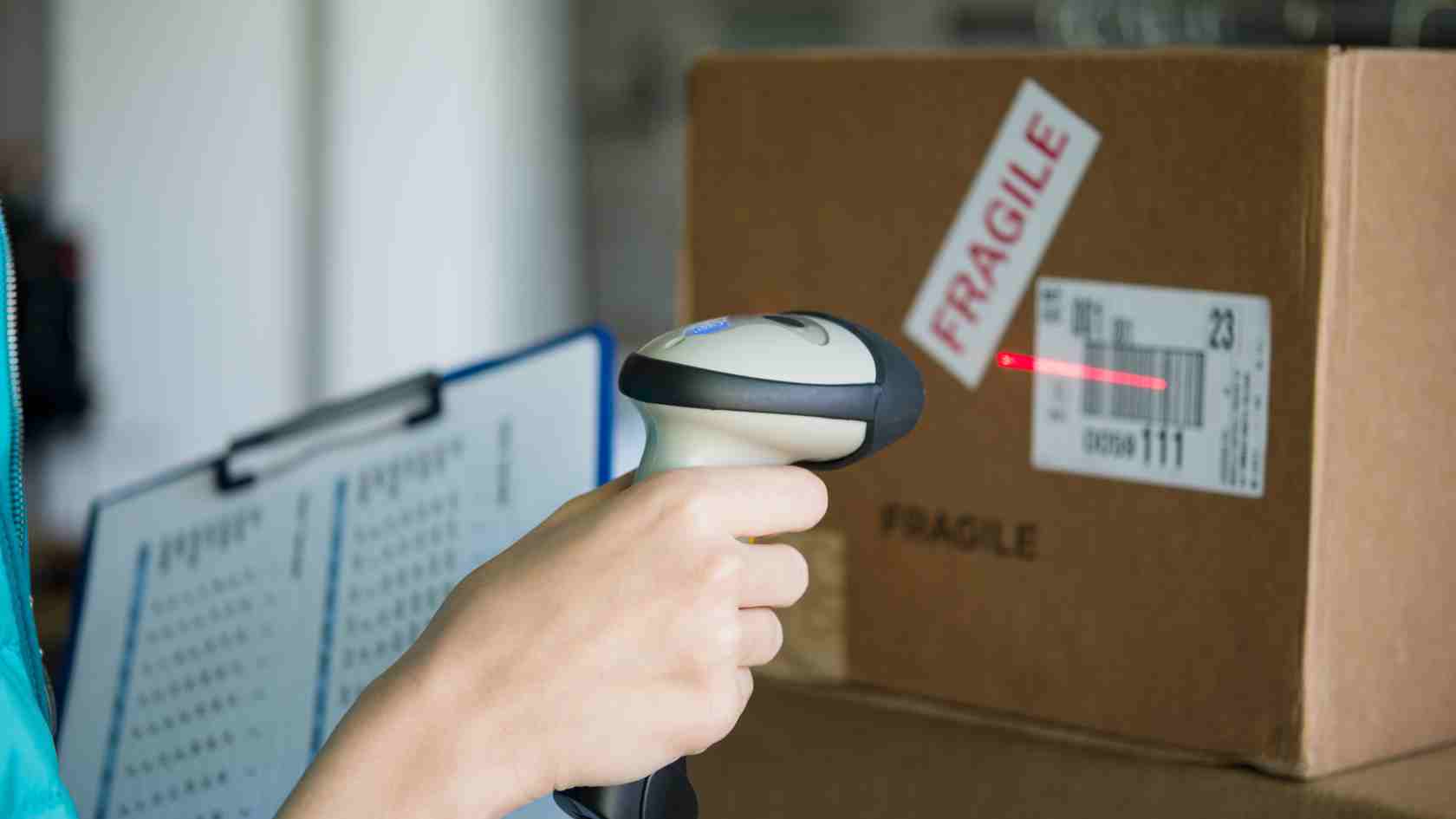
Labeling guidelines for Amazon FBA
As an Amazon seller, you will need to follow specific labeling guidelines to ensure that your products are properly identified and managed within Amazon's vast network of fulfillment centers. Here are a few labeling guidelines you should take note of:
- FNSKU labels show the product name and condition, which helps fulfillment centers identify the product and its variations.
- Labels must be placed on a flat surface of the product's exterior. They should not be placed on parts of the container that open, such as lids and box tops. Make sure the label sits flat and is easy to scan.
- If you label a unit with an FNSKU, cover any other scannable barcode on it (such as the UPC or EAN) so only one barcode can be scanned.
- All packaging materials must be new and clean, free of dirt and dust. Your packages should be strong and durable and should not have sharp edges or corners that could cause damage.
- If selling cases instead of individual items, add a label stating "Sold as set" or "This is a set. Do not separate" on the outside of the package.
Shipping guidelines for Amazon FBA
Here are some general packaging requirements you need to follow to ensure smooth processing and acceptance of your inventory at fulfillment centers:
- Ensure your products are prepared according to Amazon's guidelines and quality standards. This includes checking for any specific product category requirements.
- Each unit must carry a scannable barcode: an FNSKU label, or, for Brand Representatives, the manufacturer barcode.
- You will need to provide Amazon with details about the products you're sending, including quantities and how many are in each shipping box.
- Choose sturdy, appropriately sized boxes that protect your products during transit. Boxes should be new and clean, with no sharp edges or corners. Use at least two inches of cushioning material between items and inside the box to prevent damage during shipping.
- Scannable barcodes should be covered or removed if reusing a retail box for different products.
- Pallets must be securely packed to ensure safety during transportation and upon arrival at Amazon fulfillment centers. Each pallet needs four pallet labels, one on each side, and each box needs its FBA box ID label.
- Use one address label with clear delivery and return information. This label is crucial for directing your shipment to the correct Amazon fulfillment center.
- Unit barcode labels should be 1 to 2 inches tall and 2 to 3 inches wide so Amazon's scanners can read them.
- The paper used for printing labels should be compatible with the printer. Use black ink on white, non-reflective labels so scanners can read them. You also want to use high-quality printers to ensure that the labels are legible and scannable.
UPC requirements vary by category
Not all Amazon categories treat product IDs the same way. Most physical product categories need a GS1-issued UPC to create a new product. Books use ISBNs, and categories like music and video use their own identifiers. Handmade and some other categories may qualify for GTIN exemptions more readily. If you are unsure what your category requires, check the category listing requirements in Seller Central help before you buy codes.
Common UPC-related listing issues on Amazon
The most common UPC problems include rejected listings or suppressed ASINs because Amazon can't match the UPC to your brand in the GS1 database, and catalog errors where your product is merged with the wrong ASIN because of a shared or misused UPC. Each variation (size, color, pack count, or flavor) needs its own UPC, so don't reuse one code across variations.
If you see a GTIN-related error, first check your UPC's registration with GS1 US. If your codes aren't registered to your brand, replace them with GS1-issued codes or apply for a GTIN exemption.
Mistakes to avoid with Amazon barcodes
When dealing with Amazon barcodes, you want to avoid the following mistakes:
Misunderstanding FNSKUs and ASINs
You want to avoid confusing FNSKUs and ASINs, as this can result in unscannable barcodes. FNSKUs are Amazon-specific and used for inventory management within Amazon's fulfillment centers, while ASINs are used to identify products across the Amazon marketplace.
Missing essential labels
You want to avoid missing labels such as country of origin markings, "Sold as set" labels, and suffocation warnings on poly bags, as this can lead to compliance issues and even potential fines. Ensure that all necessary labels are present and correctly used.
Using incorrect UPCs
Purchasing UPCs from third parties that do not match your products can cause significant issues when identifying your products. You want to use UPCs that accurately represent your products. We recommend getting your UPCs from a reliable source (GS1). If you buy UPCs from third parties, verify them through the official GS1 website to ensure they are valid.
Using multiple scannable barcodes
Applying multiple barcodes that can be scanned, such as a UPC and FNSKU on the same unit, creates confusion and can affect the inventory management process. If you use FNSKU labels, cover the manufacturer barcode so only one barcode can be scanned, and make sure each product variant has its own unique identifier.
Using marketing materials on labels
You want to avoid placing marketing or promotional materials, such as discount coupons, on product labels. This practice is against Amazon's policies and can lead to penalties.
More from ePlaybooks Insights: Comprehensive Guide to Selling on Amazon
See also: Common Myths About Selling on Amazon
Final thoughts on Amazon barcodes
Whether you're a new seller looking to set up your store or an experienced seller, Amazon barcodes play a critical role in identifying your products, managing inventory, and fulfilling orders. By familiarizing yourself with these barcodes, you can ensure that your products are easily discoverable and manageable on the Amazon marketplace. You can work with Amazon experts on ePlaybooks to simplify this process, helping you navigate barcodes, streamline inventory, and optimize your FBA (Fulfillment by Amazon) shipping so you can focus on growing sales with confidence.

